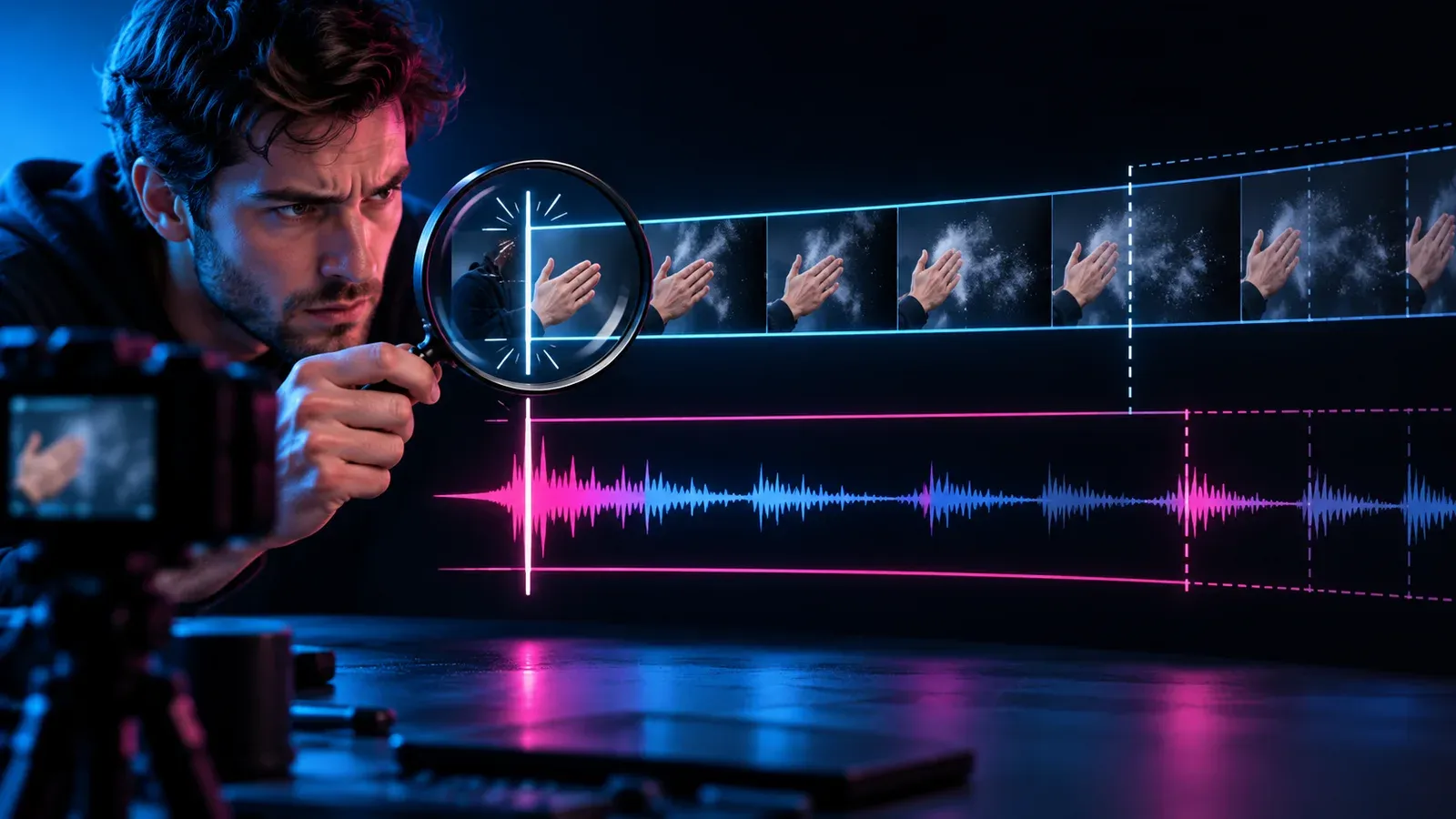
When audio is synchronized at the start and visibly late several minutes later, dragging the track by a few frames cannot solve the whole file. That move changes the starting offset; it does not correct a rate mismatch. Phone recordings, screen captures, conferencing tools and damaged timestamps can all produce symptoms editors casually call ‘variable frame rate,’ but the label should be tested rather than assumed.
ffprobe documentation describes the inspection tool creators can use to examine stream and packet information, and the FFmpeg filter documentation provides timestamp and frame-rate controls for technical workflows. This guide stays application-neutral: preserve the original, classify the drift, inspect timing, make a constant-frame-rate working copy when appropriate, and validate the full duration before replacing anything.
Classify the sync symptom
Find a visible clap, consonant or impact near the start, middle and end. Measure the direction and approximate separation at each point. Put this in the project brief before production. The brief should identify the intended viewer, the observable behavior, the review window and the person empowered to stop the test. Pre-committing prevents a large reach number from erasing cost, confusion, weak fit or an uncomfortable audience response after the fact. Preserve the version that served as the baseline. Without it, improvement becomes a story told by the newest file. A side-by-side comparison also helps the team avoid fixing one visible weakness by quietly introducing a different problem elsewhere.
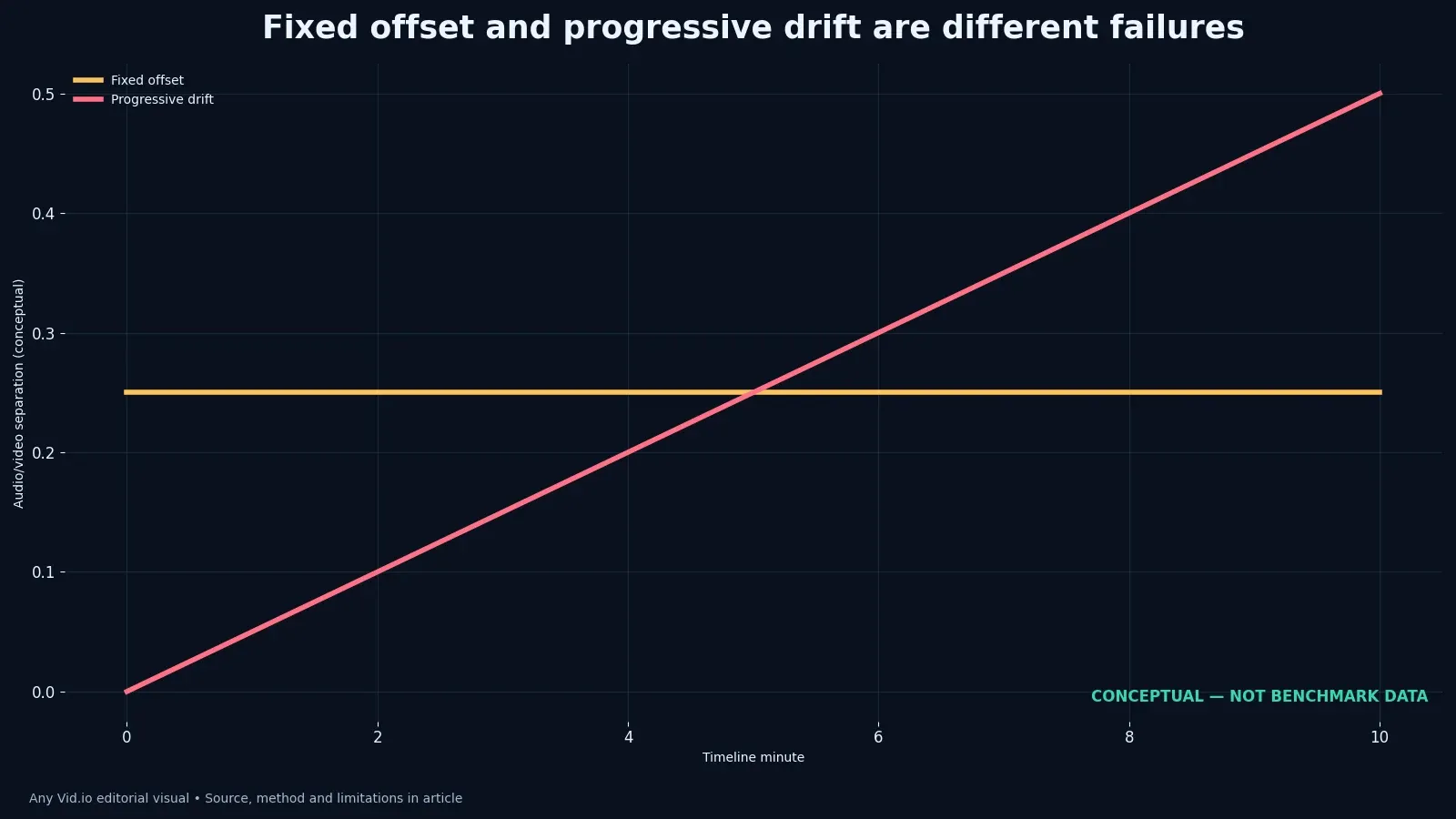
A nearly constant separation suggests an offset. A gap that grows with duration suggests mismatched clocks, timestamps, sample handling or a rate interpretation problem. The common mistake is to preserve the number while dropping its denominator and conditions. A percentage, rate or multiplier only makes sense beside the sample, time window, content type and source. Keep those details in the same row of the worksheet so a later presentation cannot quietly turn a bounded finding into universal advice. When the outcome is mixed, resist averaging incompatible signals into a single score. State what improved, what worsened and what stayed unknown. A qualified decision is more actionable than a composite number whose weighting nobody can defend.
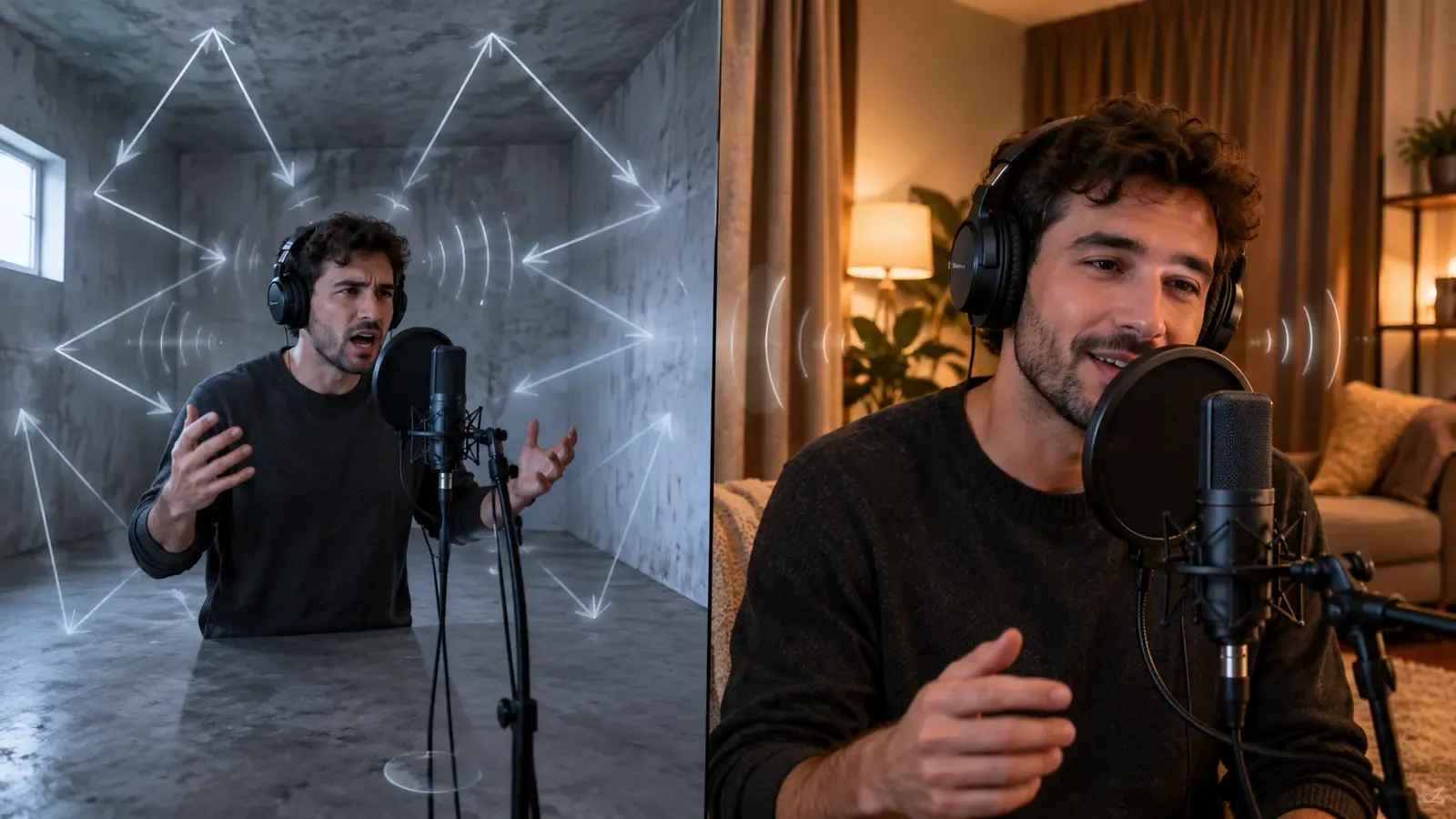
If the voice itself sounds distant rather than late, use the hollow voice troubleshooting guide because room reflections are not sync drift. A solo creator can make the method smaller without making it sloppy. Use one content family, one delivery surface and a short observation window. Change a coherent variable, capture the result, and write down what else moved. The discipline matters more than the size of the dashboard. Consider the people excluded by the measurement. Silent viewers, people using captions, subscribers arriving later and clients judging deliverables may matter even when the dashboard centers immediate public reactions. Add a qualitative check for the audience the metric cannot describe.
Preserve and inspect the original
Duplicate the source and record file size, duration and origin. Never make the first conversion over the only camera original. Record the rejected version too. Failed openings, unusable generations and broken exports reveal constraints that a polished final cut hides. A compact log—date, source, change, owner, result and uncertainty—is enough to prevent the same attractive mistake from returning in the next production cycle. Finally, date the recommendation. Platform controls, pricing, support and technical requirements change, while the article’s underlying decision method should remain useful. A visible access date makes later verification routine instead of treating old operational details as permanent facts.
Inspect container, codec, nominal and average frame-rate fields, time base, duration and audio sample rate. Treat inconsistent or unusual values as clues, not automatic proof. Treat the visual in this article as an aid to reasoning, not a forecast. It either redraws numbers published by the named source or carries an explicit illustrative label. The chart does not create precision, causality or platform-wide guidance that the underlying material never supplied. For the working review, capture one screenshot or export from the relevant stage, write the exact setting or audience condition, and compare it with the planned result. Evidence that can be revisited is more reliable than a confident recollection after publication.
The container and codec explainer helps separate the file wrapper from the compression and timing streams it contains. Before copying the tactic, ask what else happened at the same time. Topic demand, audience composition, creative quality, distribution, seasonality and collaboration can all move together. An honest review often concludes that a bundle worked under specific conditions while the contribution of each component remains uncertain. Ask a second person to follow the instruction without verbal coaching. Note the point where they hesitate, the assumption they make, and the proof that resolves it. Those observations often reveal a better edit than another round of generalized polishing.
Create a constant-rate working copy
Choose a constant frame rate suited to the source and project rather than blindly forcing a cinematic number. Preserve the source cadence as closely as the workflow permits. Editorial judgment remains the final control. Data can reveal a pattern and documentation can reduce ambiguity, but neither decides what suits the creator’s voice, capacity or duty to the audience. Someone should be able to explain the decision in plain language without invoking a mysterious algorithm. Set the review date while the decision is still emotionally neutral. Early checking rewards noise; indefinite checking encourages selective memory. A fixed window gives comparable work the same opportunity and makes exceptions visible when outside events genuinely require them.
Transcode to an editing-friendly codec and retain high-quality audio. A proxy may improve editing performance, but the conform decision must remain linked to the preserved original. Look for the failure at the handoff. A sound idea can be weakened when the script becomes a shot list, when the shot becomes an edit, or when the export reaches a platform. Naming the handoff makes troubleshooting faster because the team tests one boundary instead of rebuilding the entire piece. Write the alternative explanation beside the preferred one. If both fit the observation, the result is not yet diagnostic. The next version should separate them with a different shot, audience segment, delivery check or deliberately held-constant production choice.
Use a tested graphical transcoder or a documented FFmpeg workflow. Commands depend on the actual source, so verify output duration, timestamps and frame duplication or dropping instead of copying a universal line. Compare like with like. A tutorial, reaction, product demonstration and narrative scene ask different things of a viewer, so one universal target is rarely useful. Build a local comparison group with similar intent and duration, then keep the exceptions visible rather than averaging them away. Keep raw counts where the interface permits and describe any missing fields. Rates are easier to compare, but counts expose tiny samples and sudden distribution changes. Never reconstruct a denominator from rounded percentages when the platform does not provide it.
Relink and check the entire duration
Import the working copy into a duplicate project or relink a test sequence. Do not disturb the approved edit until the replacement has passed sync checks. Operationally, assign this decision a home. It might live in the storyboard, rights log, offer sheet, export checklist or analytics review, but it should not depend on memory. The best systems make the responsible action easier at the moment pressure is highest. Turn the lesson into a checklist item that appears before the next irreversible step. Advice stored only in a retrospective is easy to admire and easy to ignore. Placement in the workflow is what converts analysis into a repeatable safeguard.
Recheck start, middle, end and every recording interruption. One ten-minute file can contain discontinuities that a single endpoint measurement hides. Avoid solving uncertainty with extra volume. More versions, more posts or more links can create the appearance of effort while making attribution harder. Add another variable only when the current test has answered the question it was designed to answer. If collaborators are involved, agree on the metric definition and approval standard before work begins. Editors, clients and creators often use the same word for different outcomes. One written example prevents a later argument about what ‘engagement,’ ‘usable’ or ‘approved’ meant.
Watch at normal speed with meters visible, then inspect a sharp transient frame by frame. Both perceptual and technical checks matter. A useful review includes one sentence beginning ‘we still do not know.’ That sentence keeps observation separate from explanation. It also creates a clean opening for the next experiment instead of inviting a confident story built from incomplete evidence. Review the work at normal speed before frame-by-frame inspection. Severe artifacts deserve technical attention, but a microscopic flaw that no viewer can perceive should not automatically outrank story clarity, accessibility, consent or the promised practical result.
Handle residual drift carefully
If drift remains smooth and measurable, compare actual audio and video duration before applying any time stretch. A small correction should be calculated from evidence, not nudged repeatedly. Keep the human cost in the same table as the performance signal. Minutes of filming, review burden, moderation, revisions and emotional exposure are part of the result. A tactic that produces a modest lift by doubling fragile labor may be a poor system even when the dashboard looks better. Preserve the version that served as the baseline. Without it, improvement becomes a story told by the newest file. A side-by-side comparison also helps the team avoid fixing one visible weakness by quietly introducing a different problem elsewhere.
If the gap jumps suddenly, split at the discontinuity and diagnose that boundary. A dropped segment or timestamp reset is not one continuous rate problem. When a source is a platform or vendor describing its own ecosystem, use the information without borrowing the sales conclusion. Preserve the sample and method, compare it with your own evidence, and link to the original so readers can inspect the context. Citation is not endorsement. When the outcome is mixed, resist averaging incompatible signals into a single score. State what improved, what worsened and what stayed unknown. A qualified decision is more actionable than a composite number whose weighting nobody can defend.
Before final delivery, use the cross-device thinking in the upload playback troubleshooting guide even though color and sync require separate fixes. Build an exit ramp before the test begins. State the safety, rights, workload or audience signal that would stop publication. Clear stopping rules help a team move quickly because they replace last-minute bargaining with decisions already connected to the brief. Consider the people excluded by the measurement. Silent viewers, people using captions, subscribers arriving later and clients judging deliverables may matter even when the dashboard centers immediate public reactions. Add a qualitative check for the audience the metric cannot describe.
Prevent future sync failures
Set screen recorders or capture apps to constant frame rate when the control exists and a stable editing cadence is required. Verify with a short test after updates. Do not reward a surprising result with a new myth. Check the raw observation, inspect outliers, and ask whether the metric answered the original question. The strongest conclusion may be narrower than the headline, but it will be more useful when the next project differs from this one. Finally, date the recommendation. Platform controls, pricing, support and technical requirements change, while the article’s underlying decision method should remain useful. A visible access date makes later verification routine instead of treating old operational details as permanent facts.
Use a visible and audible sync marker for long multicamera or external-audio recordings. Shared reference points reduce guesswork even when devices run on separate clocks. Accessibility belongs in the production logic, not the last export pass. Captions, legible graphics, spoken context and controlled motion affect who can use the work and how confidently they can follow it. Include those checks before judging retention or conversion. For the working review, capture one screenshot or export from the relevant stage, write the exact setting or audience condition, and compare it with the planned result. Evidence that can be revisited is more reliable than a confident recollection after publication.
Archive the original, conform log and verified master. Keep only media you created, own, or have permission or another lawful right to save. Finally, communicate the limitation where the claim appears. A footnote at the bottom cannot fully repair an exaggerated headline, and a disclaimer cannot rescue an inaccurate promise. Precise language is part of the strategy because it attracts the audience the content can genuinely serve. Ask a second person to follow the instruction without verbal coaching. Note the point where they hesitate, the assumption they make, and the proof that resolves it. Those observations often reveal a better edit than another round of generalized polishing.
Working table
| Observed symptom | Likely class | First check |
|---|---|---|
| Audio late by the same amount throughout | Fixed offset | Compare one sharp event near start and end |
| Audio begins aligned and drifts later | Rate, clock or timestamp mismatch | Measure separation at three or more times |
| Sync jumps after one point | Discontinuity or dropped segment | Inspect timestamps and waveform at the jump |
| Only editor preview drifts | Decode or playback performance | Render a short section and test another player |
| Uploaded file drifts but local master does not | Delivery processing or playback path | Download/test permitted copy and compare durations |
Use this table as the working decision record for Variable Frame Rate and Audio Drift: A Creator’s Repair Workflow, not as decorative authority. Replace illustrative entries with dated observations from the real project, keep definitions beside the result, and preserve the source whenever a published fact changes the decision. The useful row is the one that tells the next editor what to verify.
Put the method to work
Measure the drift before moving the audio. A start, middle and end check can prevent an hour of random nudging, while a preserved original keeps every experiment reversible. Replace the source in an edit only after the working copy survives the full-duration test.
More export and production troubleshooting is available on the AnyVid.io blog. Retain and convert only media you created, own, or have permission or another lawful right to save.

AnyVid.io Editorial Team
The AnyVid.io Editorial Team publishes practical guides on short-form video production, AI-assisted creator workflows, Instagram and TikTok strategy, video SEO, audience growth and creator monetization.
Frequently asked questions
What is variable frame rate video?
Variable frame rate video does not keep an identical number of frames in every unit of time. It can be efficient for phones and screen recordings, but some editing workflows interpret its timing poorly or expose timestamp problems.
Why does audio drift get worse over time?
Growing separation indicates that audio and video are effectively advancing at different rates or that timestamps are interpreted inconsistently. A fixed nudge only aligns one moment. Measure the gap at several points before choosing a correction.
Should I convert every phone clip to constant frame rate?
Not automatically. Many modern editors handle VFR correctly. Convert when testing shows a compatibility or timing problem, and preserve the original. Unnecessary transcoding adds storage, time and potential quality loss.
Can I repair drift by changing the timeline frame rate?
Changing the project setting may alter interpretation but can also create new cadence problems. Inspect the source and create a verified working copy when needed rather than experimenting destructively in the only edit.
Does FFmpeg have one command that fixes all audio drift?
No. The right operation depends on the actual timestamps, cadence, duration, codec and failure type. Inspect first, work on a copy and verify the complete output. A copied command can conceal a discontinuity or create unnecessary frame changes.
Was this article helpful?
Tell us what worked so we can improve future content.