
A video can be easy to publish and difficult to use lawfully. The camera may belong to you while the music, location, performance, product, artwork or archive clip does not. This center gives creators a practical way to identify those layers, request permission, record limitations and protect original files. It is educational information, not legal advice; laws, contracts and platform rules vary, and a qualified professional should review decisions with meaningful legal or financial consequences.
Why video rights are layered
Creators often speak about “owning the video” as if a file had one switch. In practice, a production can contain several works and permissions. The person who recorded the footage may own that recording, while a composer controls a song, a photographer controls an image in the background and a performer has agreed only to a particular use. A client may own the final deliverable but not the creator’s unused source footage. A platform license can permit music inside its own service without granting the same permission for an advertisement elsewhere.
Begin by separating three questions. Who created or supplied each element? What permission covers the intended use? What limits apply to duration, territory, platform, editing or paid promotion? “It was available online” does not answer any of them. Neither does giving credit. Credit may be courteous or contractually required, but it normally does not replace permission.
The U.S. Copyright Office’s copyright overview explains that copyright protects original works fixed in a tangible medium and identifies common exclusive rights. Other countries have their own laws, exceptions and terminology. Platform terms create an additional contractual layer. Treat official documentation as a starting point, not a personalized legal conclusion.
A useful production habit is to define the intended use before requesting anything: organic social post, portfolio, client channel, paid advertisement, whitelisted ad, website, event screen or broadcast. Permission for one is not automatically permission for all. If the use later expands, reopen the record before publishing.
Create an ownership inventory
Make an inventory while planning, not after editing. List every meaningful asset: camera footage, voice recording, music, sound effects, photographs, illustrations, templates, fonts, stock media, screenshots, user submissions and AI-generated material. Record its source and the evidence supporting use. Small decorative assets deserve attention because they can appear in many exports and become expensive to replace later.
| Asset | Questions to record | Evidence | Common limitation |
|---|---|---|---|
| Original footage | Who filmed it and under what agreement? | Source files, contract, invoice | Client ownership or portfolio restrictions |
| Person on camera | What uses did the person accept? | Release or written consent | Paid advertising, sensitive context |
| Music | Which recording and composition rights are covered? | License receipt and terms | Platform, territory or duration |
| Stock asset | Which license applied on the acquisition date? | Downloaded license and account record | Resale, templates or audience size |
| AI output | What inputs, tool terms and disclosures apply? | Prompt log, source list, export date | Commercial use, likeness or trademark |
Do not rely on a bookmark to changing terms. Save the relevant license text or receipt with the project, including the date. Name the exact asset and version. “Stock music license” is not enough when an editor used six tracks across a campaign.
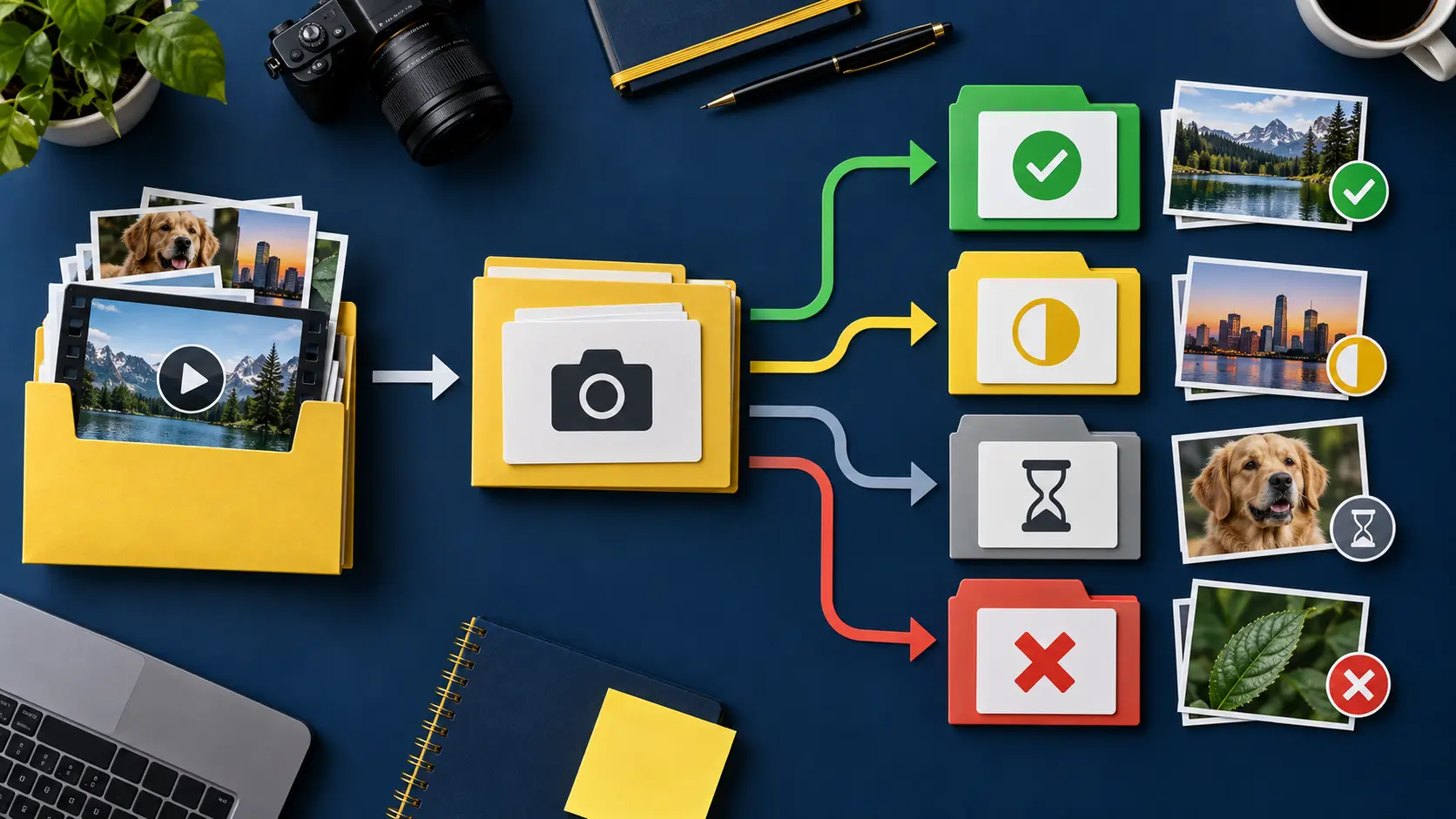
Flag uncertainty openly. A yellow status such as “permission requested” is safer than treating silence as approval. No asset enters the final export until its status is green or it has been replaced. This makes rights clearance a visible production step rather than an anxious final check.
Get permission before production
A useful permission request is specific enough to answer. Describe who you are, the material, the exact use, where it will appear, whether it is paid or sponsored, how long it may run, whether editing is involved and what credit is proposed. Ask the rightsholder to confirm that they have authority to grant the requested permission.
A vague message—“Can I use this?”—creates ambiguity for both sides. A specific message might request a non-exclusive right to include a named photograph for twelve months in one organic Instagram Reel and one TikTok post, with no paid media or sublicensing. That scope may be too narrow or too broad for a real project, but it gives both parties something concrete to revise.
Record the response and any conditions. If permission arrives in a direct message, export or screenshot the full exchange with account identity and date, subject to applicable privacy rules. For valuable or complex uses, use a written agreement. A casual message may not address warranties, cancellation, disputes, payment, exclusivity or what happens after the term ends.
Silence is not permission. Neither is a public account, an embed button or the technical ability to save a file. If the rightsholder cannot be identified or contacted, choose a work you created, commissioned with appropriate rights, licensed from a documented source or can lawfully use under advice applicable to your circumstances.
People, property and locations
Copyright is only part of the picture. A recognizable person may have privacy, publicity or contractual interests. A location may impose filming rules. Artwork, private interiors, performances and branded material can add separate concerns. Requirements vary by jurisdiction and context, especially for children, health information, private spaces and commercial endorsements.
Explain the project before recording consent. A person agreeing to appear in a creator’s behind-the-scenes post has not necessarily agreed to become the face of a paid advertisement. Make the intended channels and commercial use clear. Give participants a contact method and keep the release linked to the relevant footage.
For public locations, distinguish what can be seen from what can be commercially produced. Permits, property rules, crowd management and audio capture may matter even when casual personal filming is common. Avoid recording private conversations. If bystanders are central and recognizable, plan framing, releases or blurring rather than assuming the issue will disappear in editing.
When working with a client or brand, identify who obtains releases and location permissions. Put that responsibility in writing. A creator should not discover after delivery that the client assumed every extra in a busy shop had signed a release.
Music and recorded audio
Music rights are easy to underestimate because platforms make adding a track feel effortless. A song can involve rights in the composition and the particular recording. A platform’s licensed library may authorize certain uses inside that platform, for particular accounts or territories, without covering a cross-platform export, a brand advertisement or an external website.
Read the terms connected to the specific library and account type. Business and personal accounts can have different options. Do not assume that audio attached to a public video is free to reuse. Original audio can contain music, speech or performance that the uploader did not have authority to license onward.
For reusable campaigns, consider commissioned music, properly licensed production tracks or your own recording. Save the agreement and the exact audio file. Record whether the license covers editing, looping, paid media, client work and multiple channels. If a campaign changes, check again.
Natural sound also needs care. A television, radio or live performance captured in the background may introduce protected material. Listen to raw footage before the edit becomes dependent on it. Re-record narration or replace the audio when clearance is uncertain.
Sponsorship and UGC usage rights
A creator fee and a usage license answer different questions. The fee pays for production and agreed posting work. Usage terms determine what a brand may do with the deliverable afterward. Specify organic posting, paid advertising, account access or whitelisting, territory, duration, editing, exclusivity and renewal. The UGC pricing and usage-rights guide provides a structured way to discuss those variables.
Do not transfer every right by default because a brief says “full usage.” Ask what the campaign actually needs. A three-month social advertisement is different from perpetual worldwide use across all media. Broader rights can affect future opportunities and should be understood before pricing.
Endorsement disclosure is separate from copyright permission. A creator can own every frame and still need to disclose a material connection. Place disclosures where viewers will notice and understand them. The FTC guidance linked in the creator center is relevant for U.S. audiences and campaigns; other regulators may apply elsewhere. Any paid tool or product link placed in AnyVid.io editorial content should also follow the site’s link policy, including rel="sponsored nofollow" when a commercial relationship or purchase destination exists.
Keep the brief, approved claims, revision history, final files and disclosure evidence together. The sponsorship delivery system shows how operational records reduce missed requirements without turning a creator into a lawyer.
AI-generated and synthetic media
AI video adds questions about inputs, outputs, likeness, voice, trademarks and disclosure. Tool terms differ, and legal treatment continues to develop. Do not assume that paying for a service resolves rights in the material used to prompt it or guarantees exclusive ownership of the output.
Maintain a provenance note: tool and version, generation date, prompts, source images, reference footage, model or voice permissions, major edits and the final disclosure decision. Avoid using a real person’s likeness or voice without appropriate authorization. Do not imitate a living artist’s identity or pass synthetic documentary-style scenes off as authentic events.
YouTube currently provides a disclosure setting for meaningfully altered or synthetic content that seems realistic; its official altered-content guidance explains the platform process and examples. Other platforms have their own current labels and rules. Review them before publishing because interfaces and policies change.
Disclosure should help a reasonable viewer understand what matters, not hide behind technical wording. A stylized fantasy background may call for different context than a realistic synthetic statement by a public figure. The responsible AI video workflow offers a production checklist from source review through disclosure.
Saving, archiving and reference media
Technical access is not legal permission. Use AnyVid.io only for media you created, own, or have permission or another lawful right to save. Do not use it to bypass access controls, acquire copyrighted material without authorization or build repost channels from other people’s work.
For research, a source URL, written observation and timestamp may be sufficient. If a lawful local reference is necessary, preserve attribution and keep it out of publishable asset folders. Mark it clearly as reference-only. Editors under deadline can otherwise mistake an unlicensed reference for approved B-roll.
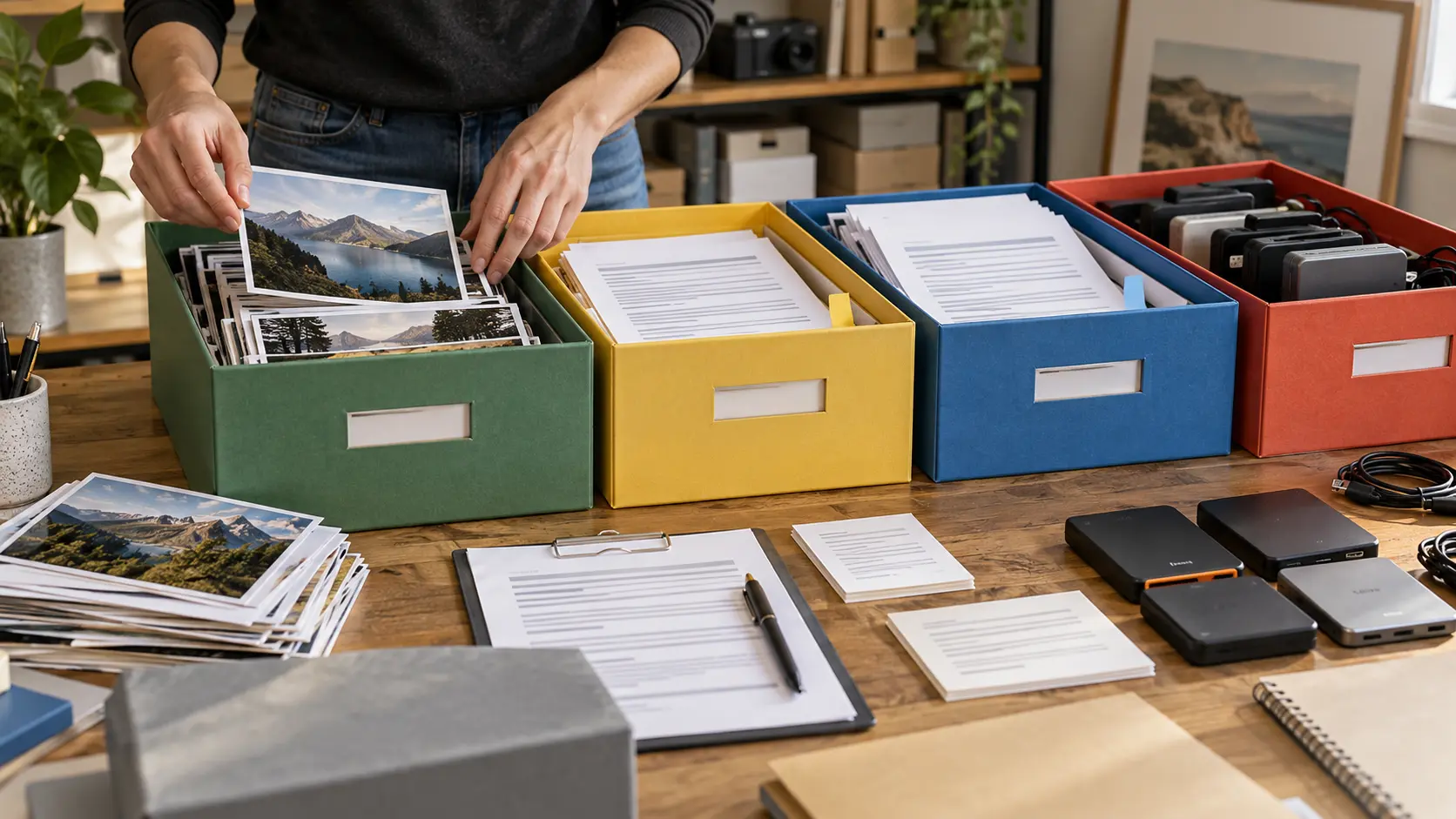
Maintain your own masters separately from platform copies. A compressed social export is not a substitute for camera originals, project files or a clean final master. Use at least two storage locations, verify that backups open and plan for account loss. Rights records should be backed up with the media.
When permission expires or is withdrawn under an agreement, know which publications and derivative files contain the asset. A searchable asset ID makes removal possible. Without it, a team may have to watch every export manually.
Build a rights-record system
Give each project an identifier and create five folders: originals, third-party assets, permissions, working files and exports. Inside the permission record, list the asset ID, owner or supplier, acquisition date, allowed use, restrictions, proof location and review date. Add a status: cleared, limited, pending, expired or replaced.
Use filenames that remain understandable outside the software: project_asset_source_date is better than final2-new. Avoid putting sensitive personal details in filenames. Limit access to contracts and releases, and follow applicable data-protection requirements.
Before publishing, run a human checklist: every third-party asset accounted for; people and locations reviewed; music scope matched; sponsorship disclosure present; synthetic-media label considered; links classified; export and destination within the approved scope. Record who performed the check and when.
Review active licenses quarterly if you run ongoing campaigns. Renew, replace or retire assets before expiration. When a client requests a new format, territory or paid-media use, treat it as a scope change, not a routine export.
Five permission scenarios
A customer sends a testimonial clip
Ask for written permission covering editing, publication channels, duration and commercial use. Confirm the sender recorded the clip and has authority over included people and music. Store the original submission and consent together.
A creator reacts to another public video
Public availability alone does not grant reuse rights. Consider whether linking, embedding through authorized features or describing the claim can achieve the purpose. Legal exceptions are fact-specific; obtain advice when relying on one.
A brand wants to run a creator post as an ad
Confirm paid-media rights, duration, territory, account access, editing and renewal. Recheck music and third-party assets because permissions for an organic post may not cover advertising.
An AI tool produces a realistic spokesperson
Document the model’s origin, voice and likeness authorization, tool terms and disclosure. Do not imply that a real person made statements they did not make.
An old project is repurposed
Read the original agreement instead of relying on memory. Check expiration, platform, format and exclusivity. Replace unclear assets before the new campaign depends on them.
Frequently asked questions
Does credit make reuse lawful?
Credit and permission are different. Attribution may be required, but naming the creator does not by itself authorize copying, editing or commercial use.
Can I use a few seconds of any song?
There is no universal “few seconds” rule. Applicable law, license terms, platform arrangements and context matter. Use music with documented permission for the intended use.
Do I need a release from everyone in the background?
Requirements depend on location, prominence, expectation of privacy, commercial context and jurisdiction. Plan framing and obtain advice for recognizable people in sensitive or advertising uses.
Is a screenshot safer than a video clip?
A screenshot can still reproduce protected material and may include personal information or trademarks. Evaluate its source and purpose rather than assuming the format removes the issue.
Can a client reuse my UGC forever?
That depends on the agreement. Define duration, channels, territory, paid media, editing and renewal before delivery. Do not assume “usage” has one standard meaning.
What should I do when proof of permission is missing?
Pause publication, contact the relevant party and replace the asset if clearance cannot be documented. A deadline does not turn uncertainty into permission.
Run a quarterly rights audit
A rights system needs maintenance because uses expand, licenses expire and team members change. Once each quarter, select active campaigns and a sample of evergreen content. Confirm that every third-party asset still maps to a readable record, the publication remains within scope and contact details are current. Review paid campaigns first because extended distribution can exceed an organic license quickly.
Compare the live use with the agreement. A video approved for one social account may now appear on a landing page, retailer channel or advertisement. A client may have created cutdowns or translations. Record each derivative and ask whether its format, territory, duration and media type remain covered. Do not treat an old approval email as permission for a materially new campaign.
Review music separately. Identify where platform-library tracks were used and whether the content was exported elsewhere. Check commissioned and stock licenses for term or account restrictions. When replacing music, keep a new rights record rather than overwriting the history; the older published version may still exist.
Audit participant consent with particular care. Confirm that sensitive context did not change through a new caption or campaign. If a release allowed a broad legal use but the new use would surprise the person, pause and consider renewed consent. Ethical judgment can require a higher standard than the broadest arguable reading of a document.
Log corrective actions: renew, request expanded permission, replace, unpublish, restrict access or obtain advice. Assign an owner and deadline. A rights audit is successful when uncertainty becomes a tracked decision, not when every row is forced to green.
A rights handoff for small teams
When a project moves from creator to editor, send a rights handoff with the brief. Put approved media in one folder, reference-only material in another and prohibited assets in neither. Include a one-page list of allowed channels, paid-media status, required credit, disclosure and expiration. The editor should not need to infer permission from filenames.
Require new assets to enter through the inventory. If an editor adds a sound effect or photograph, they record its source before the review copy is delivered. If a client supplies an asset, ask for written confirmation that it may be used for the intended purpose; label it “client supplied” without pretending that label independently proves rights.
At final handoff, include clean masters, published versions, project files and the completed rights record. State which source assets cannot be transferred or reused. If the client receives a license rather than ownership, make the distinction clear in the agreement and delivery note.
Limit access to releases and contracts. They can contain addresses, signatures and other personal information. Give collaborators the information needed to follow restrictions without distributing sensitive documents unnecessarily. When the retention period ends, follow the applicable agreement and privacy requirements rather than keeping everything indefinitely by habit.
Prepare a correction and takedown plan
Responsible teams plan for mistakes before receiving an urgent complaint. Publish a contact route for rights concerns and assign someone to review messages. Preserve the complaint, identify the exact asset and pause paid distribution when continued use could increase harm. Do not demand sensitive identity documents through an insecure channel.
Check the record before responding. Confirm the source, agreement, publication locations and edits. A claim may concern copyright, privacy, impersonation, an expired license or mistaken identity; each requires different facts. Avoid admitting conclusions you have not established, but acknowledge receipt and provide a realistic review timeline.
If correction or removal is appropriate, identify every derivative: platform post, advertisement, thumbnail, landing page, newsletter, media kit and client copy. Record what was changed and when. Removing one post while an ad remains active is not a complete response.
After resolution, run a short incident review. Ask which control failed—inventory, permission wording, handoff, expiration alert or publication check—and improve that step. Do not keep unnecessary personal information merely because it arrived during the complaint. Serious or contested matters should be referred to qualified counsel.
Create a permission culture
Teams learn from what leaders reward. If speed is praised while rights questions are treated as obstruction, uncertainty will be hidden. Invite questions early and make replacement assets easy to obtain. Thank collaborators who flag a missing license before publication.
Use plain language in training: public is not ownerless, credit is not permission, a platform music option is not automatically a cross-platform license, and a client-supplied file still needs a documented intended use. Repeat these principles during onboarding and campaign kickoff.
A mature permission culture does not promise zero risk. It makes assumptions visible, assigns decisions and preserves evidence. That is better for creators, participants, clients and audiences.