Searching for an Instagram video downloader often begins with a practical problem: a creator needs a usable copy of a Reel they made, but the camera roll is incomplete, the editor project moved devices, or the social post is now the easiest copy to locate. The fastest button is not always the safest archive decision. A platform copy can be valuable, yet it may not contain the same pixels, metadata, audio assets or edit flexibility as the original master.
This guide is deliberately limited to media you created, own, or have permission or another lawful right to save. It does not treat public visibility as permission, does not recommend bypassing access controls and does not promise that any third-party Instagram downloader preserves “original quality.” Meta’s account-information download guidance provides an account-level route, while the current app may also expose saving controls for eligible media. Interface details vary by account, region, device and rollout, so verify the live control before relying on it.
The case study is a reproducible archive audit rather than a story about a fictional creator. It compares four asset roles—camera source, project export, platform copy and account-data package—and uses exact pixel arithmetic to show why resolution labels need context. No measured value in the chart is an Instagram compression benchmark. The useful outcome is a library in which every Reel has a known source, an approved master, a documented platform copy when needed and enough context to edit or prove ownership later.
Define what you actually need to save
Name the job before choosing a retrieval route. Emergency viewing, future re-editing, proof of publication, captions and a client delivery each require different files. A saved Reel can help document what was posted, but it does not recreate the uncompressed camera clips or edit timeline. List the exact missing item first; then check whether the camera library, editor export or account-information option can supply it.
If the camera original or approved master still exists, make it the preservation source. Label a downloaded Reel as a platform copy and keep it as a separate delivery artifact. Compare filenames and dates against the edit project before moving files; a newer download should never silently replace the only editable source. Record any gap while the creator still remembers which device or collaborator may hold the master.
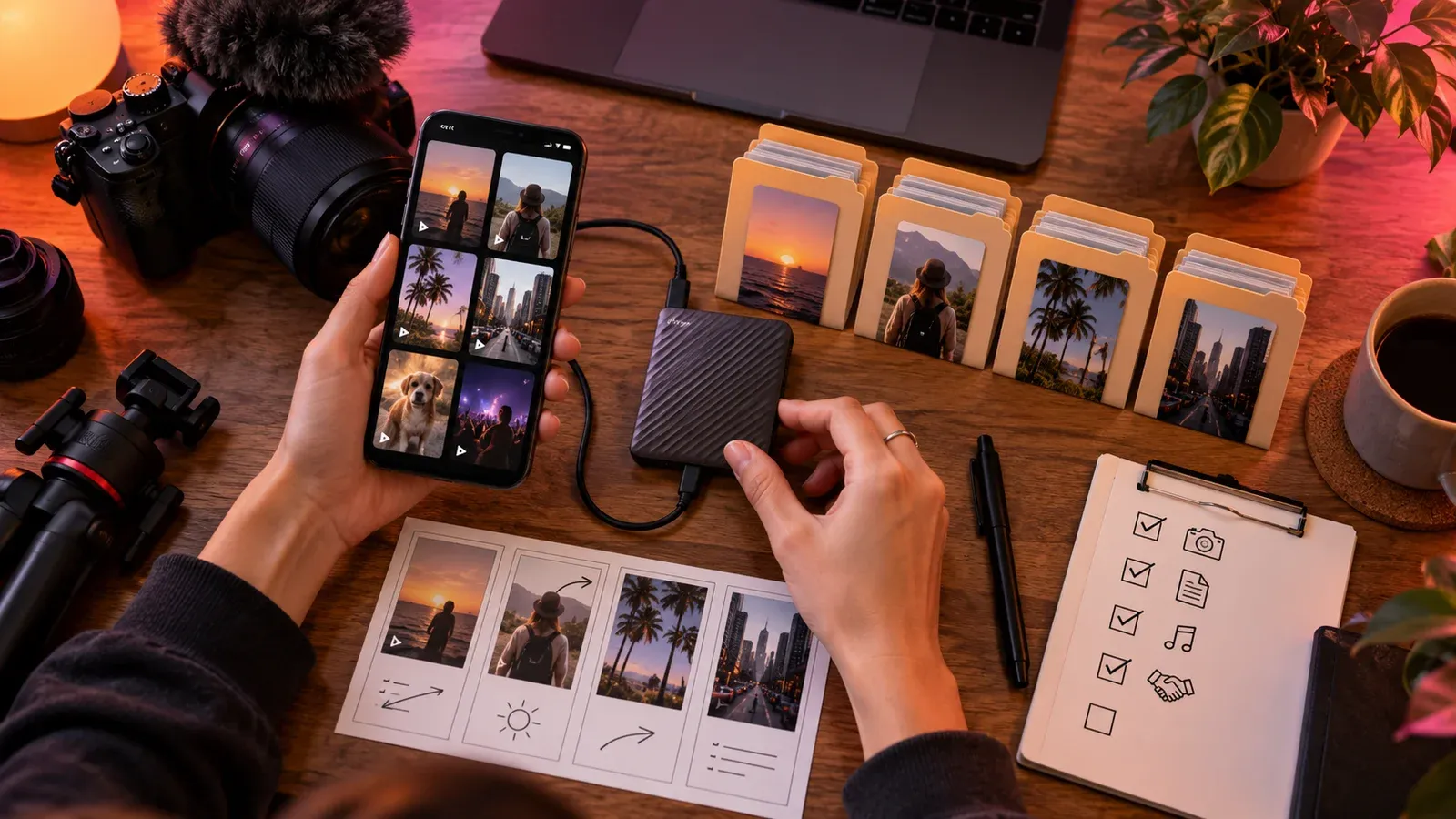
For a series, use the promise–proof–payoff storyboard to give episodes stable project IDs before publication. Add episode, version and asset role to the archive manifest. That link between plan and files helps a future editor find the correct cover, source footage and approved export without guessing from a caption or posting date.
Make one manifest row per Reel with the public URL, project ID, source camera files, editor project, approved master, platform copy, caption and rights record. Mark absent assets explicitly. Add the date each surviving copy was opened and tested, not merely copied. A folder is not a recovery plan until its authoritative file can be identified and restored.
Use native and account-level routes first
Check the live Instagram controls for your own Reel and consult Meta’s current information-download instructions for the account-level export path instead of following an undated screenshot.
Expect an account-information package to serve a different purpose from a ready-to-edit video master: it may preserve records and associated data without recreating the full production folder.
Record the account, date range, format choices, request date and delivery date for an information download. Inventory what the package actually contains before relying on it. If it lacks a high-quality master or separate caption layer, mark those as missing in the manifest and search the local production files. Account data and a production archive solve different problems.
Pause here for a handoff check. Ask another person to follow the record without coaching; if a platform copy replacing the only source master can still happen silently, the workflow needs a clearer owner, filename or acceptance test.
Separate source, project, master and platform copy
The source is what the camera or recording application created; the project contains edit decisions and linked assets; the master is the approved export; the platform copy is what was retrieved after publication.
Use the container and codec decision guide when two MP4s have similar names. Inspect codec, dimensions, frame rate, audio and duration rather than assuming the larger file or familiar extension is the best source. Play the first and last sections, since a technically readable file can still be truncated or out of sync.
Put the role in a manifest field instead of guessing from file size. A smaller source can still be more editable than a larger platform copy, and a larger file can still contain an unnecessary transcode.
Put the result in a Reel archive manifest, attach the evidence path and date it so a later platform or software change can be compared with the same decision.
Inspect quality without “original quality” claims
Record dimensions, duration, frame rate, codec, audio presence and file size for the approved master and recovered copy. Then watch both at normal speed, checking fast motion, text edges, gradients and low-light areas. A file-inspection tool explains what is inside each container; viewing reveals whether the difference matters for the intended use. Do not call one setting the cause of softness unless the upstream comparison supports it.
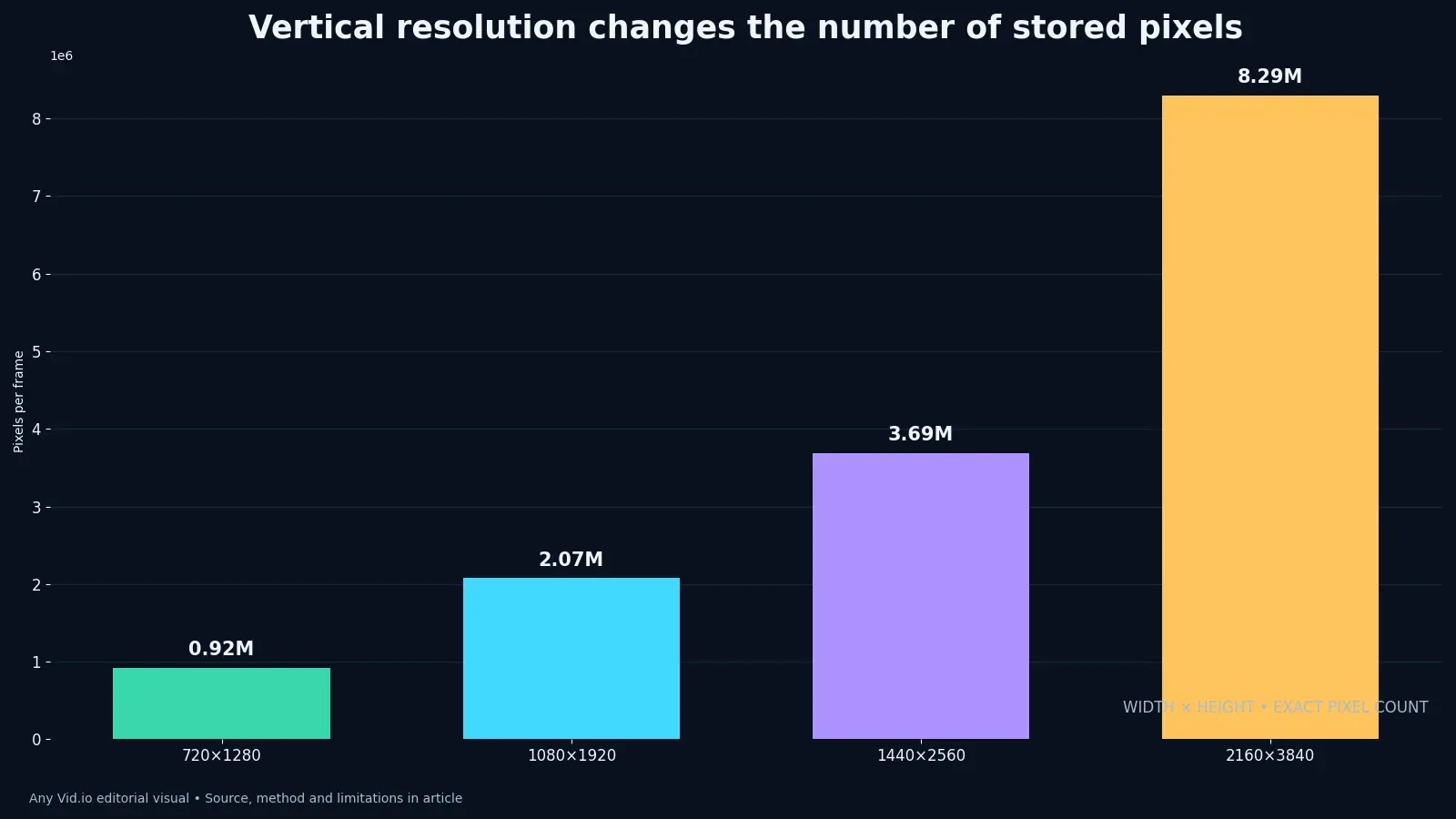
The chart compares pixel counts for common vertical frames. It tells you how much the dimensions differ, not whether a smaller file retained the detail a viewer needs. Encoding, source sharpness and later platform processing also matter. Keep the chart beside a matched playback comparison and do not infer an 'original quality' guarantee from width and height alone.
When the retrieved copy looks soft, use the controlled reasoning in the encoding study before assuming one setting or service caused every visible difference.
Metrics such as pixel count, file identity and restore success are useful only when they lead to a visible choice and do not conceal the limits of this sample.
Preserve captions, audio and publishing context
Save the final caption text, accessibility transcript, cover image, publication URL, posting date and rights notes beside the video rather than relying on the post to remain the only record.
Keep music and voice rights documentation separate from the flattened audio track, especially when a licensed track was added inside a platform and is not available for unrestricted reuse.
Apply the caption quality workflow to any transcript you plan to preserve, regardless of which platform hosted the post. Save corrected text as a separate file with a language label and version. Text burned into a Reel is hard to amend for accessibility or a later correction, so the editable source belongs in the archive beside the approved master.
Add the source/master/platform-copy check to the publication handoff. Confirm that the master and its captions are copied to an independent location before clearing the phone or editor cache. A later emergency download is useful, but it should not become the regular way to reconstruct a project.
Name and verify the archive
Use a stable name such as project_episode_role_version_date.ext and preserve the platform identifier in the manifest instead of making an unreadable filename carry every field. Give filenames the same care as the edit.
Generate a checksum for masters and important source files, then verify the checksum after copying to a second location; the hash confirms byte identity, not creative quality.
Keep the manifest in an open, readable format such as CSV or JSON and include enough explanation that a collaborator can distinguish the authoritative master from recovery material.
Note what the available copies cannot prove. Without the camera source, a comparison between the approved export and a retrieved Reel is limited to those two files; it cannot reconstruct earlier edits or separate a licensed audio track. Put that limitation next to the manifest entry so the next editor does not mistake a platform copy for a complete production package.
Handle a missing or damaged master
If only the published copy survives, duplicate it before inspection, label the provenance honestly and avoid repeated export cycles that add another generation of loss.
Rebuild the cover with the crop-safe Reel cover method only when the original cover asset is missing; do not bake a new cover into the video unless the distribution requires it.
Document what cannot be recovered—separate audio, text layers, alternate takes or color depth—so future editors do not spend hours searching for assets that never entered the archive.
Keep a dated comparison of the approved master and the recovered copy: filenames, properties, playback notes and the location of each source. If the newer copy is smaller or softer, the record explains its role. This prevents a routine cleanup from promoting the latest download over a verified master.
Run a quarterly Reel archive audit
Audit a few recent projects rather than assuming every Reel has the same backup state. For each, open the master, confirm the public URL, locate the rights note and restore one item from the secondary copy. Record failures by asset type, then change the capture or publication checklist so the next project closes the same gap.
When a post is limited by recommendation eligibility, keep that policy record separate from the media archive and use the Account Status audit for the distribution question.
Use audit failures to change the capture or publishing checklist: the goal is fewer emergency downloads because the source workflow has become more reliable.
A usable Reel archive should answer which file is the best editable source, whether the published copy can be verified and what rights cover later reuse. Give the folder to a collaborator and see whether they reach the same answers without help. If the only surviving copy is a download, label its limitations and preserve it without another needless conversion.
Run a Reel recovery drill
Choose one published Reel from the previous quarter and try to rebuild its provenance without opening the social app first. Locate the camera clips, the editing project, the approved export, the caption copy and any music or talent permission. Record how long each item takes to find. The elapsed time is not a universal benchmark; it is a diagnostic for this archive. A missing camera file calls for a capture backup fix, while a missing approval note calls for a production-record fix. Downloading the published Reel may fill a viewing-copy gap, but it cannot recreate separated audio, editable text or unused takes.
Next, compare the recovered platform copy with the approved export at ordinary viewing size and with a file-inspection tool. Check duration, dimensions, orientation, audio presence and whether the opening and final frames match. Do not infer a platform codec decision from the filename alone, and do not call a larger file the master merely because it uses more storage. Put the observations in the manifest, label uncertainty explicitly and keep both files when they serve different roles. This creates a useful answer to “which copy should I edit?” without claiming that every account receives identical processing.
Finish by handing the folder to a collaborator who did not publish the Reel. Ask them to identify the preservable master, the public evidence copy and the file that is safe to deliver to a client. Their mistakes reveal ambiguous names and undocumented assumptions better than another hour of solo tidying. Correct the structure, then repeat the drill on one older Reel and one recent Reel. If retrieval becomes predictable across those three examples, adopt the convention for new work; if it does not, revise the minimum metadata before migrating the whole library.
Case-study table
| Asset role | Best use | What to verify | Do not assume |
|---|---|---|---|
| Camera or screen-recording source | Re-editing and preservation | Original duration, frame rate, audio and permission | That it is automatically color-corrected or publish-ready |
| Editing project | Revisions and provenance | Linked media, fonts, captions and application version | That a project file includes every source asset |
| Approved master | Publishing and client delivery | Checksum, dimensions, codec, captions and approval | That the platform will deliver an identical copy |
| Instagram platform copy | Reference or emergency recovery | Provenance, dimensions, audio and visible artifacts | That “HD” or a large file means original quality |
| Account-information package | Account records and metadata review | Date range, format, included folders and request date | That it replaces a production archive |
Use the table to identify each asset role and its verified location for one real Reel. Fill in the camera original, project, approved master, platform copy, captions and rights note. An absent cell is a recovery task, not a reason to rename the platform copy as the master.
Put the method to work
Start with one recent Reel and trace it backward. If the approved master, caption and rights note can be found in under two minutes, record the path and repeat it for the rest of the series. If they cannot, preserve every surviving copy before reorganizing. The goal is not to create more files; it is to know which file deserves trust.
Use the related production and archive guides on the AnyVid.io blog to strengthen the source workflow. AnyVid.io should only be used for media you created, own, or have permission or another lawful right to save; it is not a route around permissions or access controls.
AnyVid.io Editorial Team
The AnyVid.io Editorial Team publishes practical guides on short-form video production, AI-assisted creator workflows, Instagram and TikTok strategy, video SEO, audience growth and creator monetization.
Frequently asked questions
Can I download my own Instagram Reels?
Use the current controls available for your own content or request your Instagram information through Meta’s official account tools. Availability and labels can vary. Preserve the original camera file and approved export whenever possible, because a platform copy may be a processed derivative rather than the production master.
Does an Instagram video downloader preserve original quality?
That claim should be treated cautiously. A service can only return the media representation it can lawfully access; it cannot recreate details, metadata or separate edit layers that were not present in that representation. Inspect dimensions, codec, audio, duration and visible artifacts, and keep the retrieved file labeled as a platform copy.
Can I download another creator’s public Reel?
Public viewing does not automatically grant permission to save, reuse or republish a work. Use only media you created, own, or have permission or another lawful right to save. Do not bypass access controls, remove attribution or present another creator’s work as your own.
Is Meta’s account-data export the same as downloading one Reel?
No. An account-information package is designed to provide a copy of selected account information, while a single-media save is a different task. The package can be valuable for records and context, but it should not be assumed to reproduce an editing project or original camera master.
What should I archive with each Reel?
Keep the source media, project or edit decision record, approved master, caption or transcript, cover asset, publication URL, date, rights notes and a small manifest. When a platform copy is retained, label it clearly and record how and when it was obtained.
Will downloading and re-uploading reduce quality?
It can. A platform copy may already be encoded, and a new export or upload can introduce another processing generation. Work from the approved master when possible. If only a platform copy survives, avoid unnecessary conversions and compare the delivered result at normal viewing size.
Was this article helpful?
Tell us what worked so we can improve future content.